Students
For study sessions when distracting apps keep calling you back: unlocking them means leaving your seat and returning to the object.
 Anti-Scroll
Physical app blocker
One rounded NFC-embedded object and a free companion app for students, remote workers, and creatives. Pair once, choose apps to block, and tap your phone to the object to lock them. To unlock, you must physically return and tap the object again.
From $45One-time hardware purchase
Who it is for
For study sessions when distracting apps keep calling you back: unlocking them means leaving your seat and returning to the object.
For workdays when your phone is always within reach: add a physical step before you can return to distracting apps.
For time spent making rather than scrolling: lock distracting apps with a tap and keep the unlock outside your phone.
The problem
Software blockers are easy to bypass when you can undo the block without leaving your seat.
When the way around a blocker is still on your phone, the next scroll stays close. Anti-Scroll puts the unlock on a separate physical object.
The physical difference
One rounded NFC-embedded object and a free companion app put a physical step between you and distracting apps.
Pair the NFC object with the free companion app once and choose which apps to block. Then tap your phone to the object to lock those apps.
You cannot unlock those apps without physically returning to the object and tapping again. Getting up is part of the process.
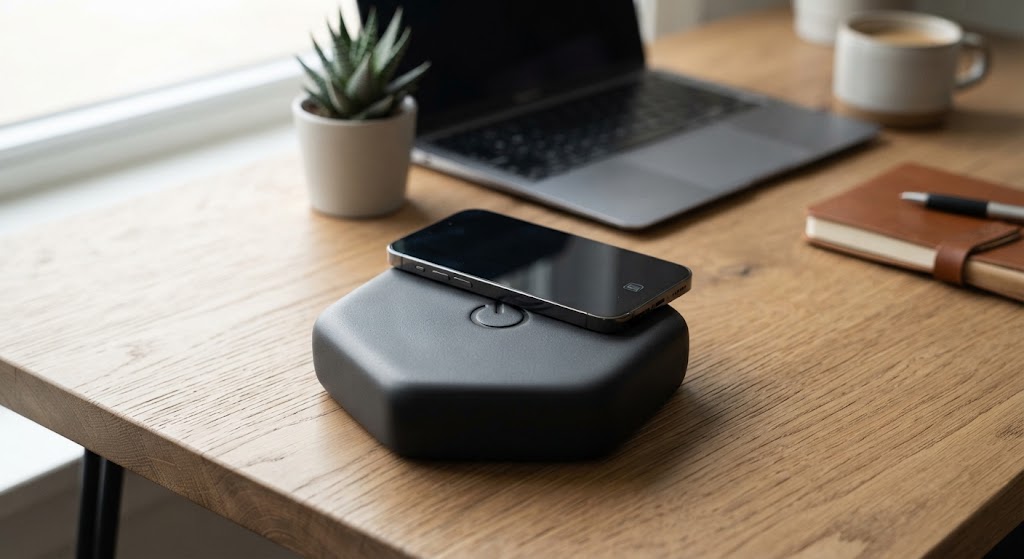
Designed for a desk, coffee table, or kitchen counter, the object gives your app blocker a place outside your phone. The planned production body is weighted injection-molded resin, chosen for a substantial, minimal desk-object feel. This is the production plan, not a claim about the pictured prototype or finished stock.
How it works
One rounded NFC-embedded object. One free companion app. A deliberate return to unlock.
Pair the NFC object with the free companion app once, then choose which apps to block. Keep the object on a desk, coffee table, or kitchen counter, away from where you scroll.
Tap your phone to the object to lock the apps you selected in the companion app.
When you want to unlock those apps, physically return to the object and tap your phone again.
The basics
What the object does, how the app works with it, and why unlocking means getting up.
Anti-Scroll is one rounded NFC-embedded physical object paired with a free companion app. Pair once, choose apps to block, and tap your phone to the object to lock them. You must physically return and tap the object again to unlock.
Tap your phone to the object to lock distracting apps. To unlock them, you have to physically return and tap the object again.
The object adds a physical step: you have to get up and tap it again, rather than bypassing a blocker on your screen.
It is designed for students, remote workers, and creatives experiencing screen fatigue who want a physical barrier between themselves and distracting apps.
The offer includes one rounded Anti-Scroll NFC-embedded object paired with the free companion app. Pair it once, choose which apps to block, then tap to lock them. Unlocking requires physically returning to tap the object again.
The object is designed to sit on a desk, coffee table, or kitchen counter. Returning to it is part of unlocking your apps.
Make space
Put a physical step between you and distracting apps, with a desk object you have to return to.
A physical step before you scroll.Behind the object
Anti-Scroll starts with a simple problem: software app blockers are too easy to bypass when the distraction is right there.
The idea is to put something physical between you and the next scroll, without asking you to switch to a dumb phone.
One rounded NFC-embedded desk object and a free companion app work together. Pair once, choose apps to block, and lock with a tap. Then physically return and tap the object again to unlock.
AndersonRuns Anti-Scroll